Gaming PCs
Build vs buy a gaming PC in Ireland: which is better value?
By The ForgePC workshop team · · 4 min read
If you want a new gaming PC in Ireland, you have three real options: build it yourself, buy a mass-market pre-built, or order a custom build from a local workshop. Each has a place. This article compares them honestly on cost, risk, warranty and time, so you can pick the one that fits you rather than the one with the loudest advert.
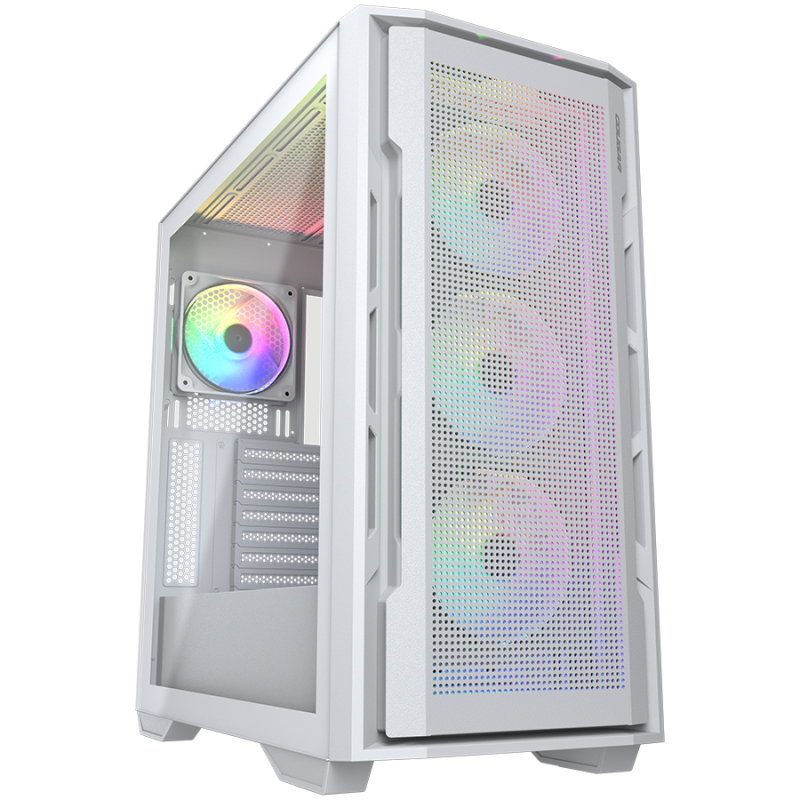
Option 1: build it yourself
The case for it: you pay for parts only, you choose every component, and you learn how your PC works, which helps with upgrades and troubleshooting. If you enjoy the process, it is a rewarding project.
The catch: the saving is smaller than it looks once you value your time, and the risks fall on you. Compatibility mistakes (socket, memory type, cooler clearance, power connectors), bent pins, a missing BIOS update or a poorly seated cooler can cost days. If a part is dead on arrival, you sort out returns yourself, often with different retailers. And a build that has never been stress-tested may hide problems that appear later.
Best for: hobbyists, people who have built before, and anyone who wants the learning experience.
Option 2: buy a mass-market pre-built
The case for it: it arrives ready to use, with one warranty and one phone number, and some deals are genuinely competitive on price, especially on older stock.
The catch: manufacturers protect their margins in the parts you do not see. A strong graphics card may be paired with a low-grade power supply, a basic motherboard, slow or single-channel memory, a small cooler and a proprietary case or board that limits upgrades. Marketing leads with the processor and GPU names, so the weak links are easy to miss. Replacing proprietary parts later can be awkward or impossible.
Best for: buyers who want convenience above all and are prepared to read the full specification, including power supply and motherboard.
Option 3: a custom build from a workshop
The case for it: you get the freedom of choosing parts without the risk of assembling them. A good workshop picks components that work together, builds with tidy cable management, stress-tests the system, installs Windows and drivers, and stands behind the result. Standard parts mean you can upgrade freely later.
The catch: you pay for labour and testing, and you wait while the PC is built and tested. Prices vary between workshops, so look for transparent, itemised specifications.
Best for: anyone who wants a properly specified machine without the risk or time of building it, and wants a human to call if something goes wrong.
Cost comparison, honestly
- DIY: lowest cash cost for the same parts. Hidden costs: your time, tools, and the risk of damage or a return.
- Mass-market pre-built: sometimes cheaper than DIY on older stock, often more expensive per unit of performance on new hardware, with weaker non-headline parts.
- Custom build: a labour and testing premium over parts, in return for assembly, validation, setup and support. Typically good value if you would otherwise pay for mistakes or compromises.
Warranty and support
With DIY, each part carries its own manufacturer warranty and you manage claims yourself. With a pre-built, one company handles it, though proprietary parts can complicate repairs. With a workshop, components keep their manufacturer warranties and the workshop assists with claims and aftercare. Your statutory consumer rights apply in every case; see our terms and returns policy for how ForgePC handles it.
What to check before you buy any PC
- The exact model of the power supply and its wattage.
- The motherboard model and whether it supports upgrades.
- RAM capacity, speed and whether it runs in dual channel.
- The CPU cooler type and the case's airflow.
- SSD size and type (NVMe is the one you want).
- What testing was done before it ships, and who you contact afterwards.
Mistakes first-time builders make
- Forgetting the standoffs or I/O shield, which can short a motherboard or leave ports unusable.
- Not enabling the memory profile (XMP or EXPO), so expensive RAM runs far below its rated speed.
- Plugging the monitor into the motherboard instead of the graphics card, then wondering why performance is poor.
- Poor airflow, such as fans fitted the wrong way round, causing high temperatures and throttling.
- Skipping BIOS updates, which can stop a new processor from booting on an older board.
How much time does each option take?
A first-time DIY build typically takes a long evening or a weekend including installing Windows and drivers, and longer if something does not work. A pre-built arrives in a few days. A workshop build is assembled, tested and delivered on a schedule agreed with you, usually after parts are sourced for your specific configuration. If you need a PC by a fixed date, ask for the timeline before you order.
Our recommendation
If you love tinkering, build it yourself. If you want the lowest possible price and accept limits on quality and upgrades, a well-chosen pre-built can work. If you want the right parts, tested properly and supported by someone local, a custom build is usually the better value. Browse our tested builds, design your own in the PC builder, or read how we work on the gaming PC page.