PC upgrades
PC upgrades in Dublin — faster without a full rebuild
The right upgrade can make a three- or four-year-old PC feel new for a fraction of the price of a replacement. We check what your motherboard, power supply and case can actually support, tell you which upgrade is worth it, and fit and test it.
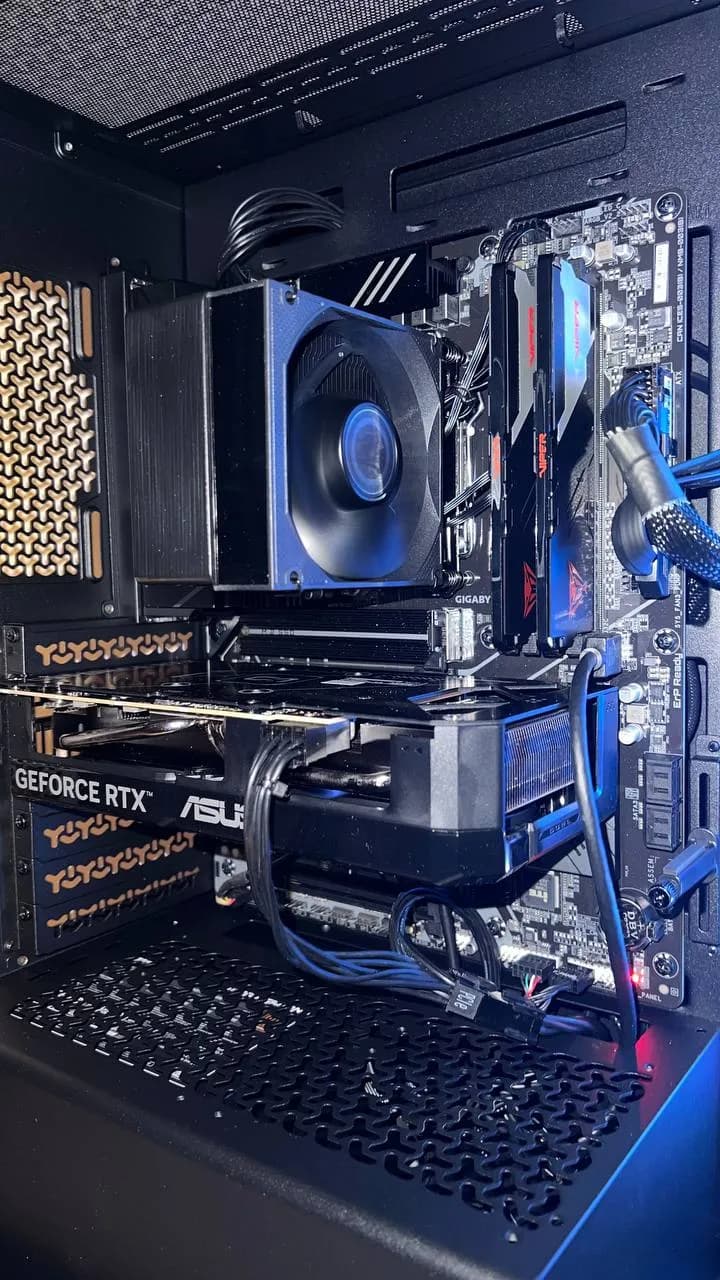
Which upgrade helps most?
The honest answer depends on what is slowing you down. If the PC is slow to start and programs take ages to open, a fast NVMe SSD in place of an old hard drive is usually the biggest single improvement per euro. If it stutters with many tabs or applications open, more RAM helps. If games run at low frame rates, the graphics card is usually the limit — but only if the processor, power supply and motherboard can support a new one.
- SSD / storage upgrade: faster boot and load times, with a full data transfer so nothing is lost.
- RAM upgrade: smoother multitasking, streaming and modern games.
- GPU upgrade: higher frame rates and resolution, after we check power supply, case clearance and CPU balance.
- CPU upgrade: only when the motherboard supports it; otherwise it can be cheaper to replace the platform.
We check before we quote
Parts have to work together. We verify socket and chipset support, memory type and speed, the power supply's headroom and connectors, and physical fit before recommending anything. Sometimes the best advice is a smaller upgrade than you were planning — or, if the platform is too old, a fresh build. We will tell you which, and give a firm price before we start.
Every upgrade is tested after fitting, and we can add a deep clean, fresh thermal paste and cable tidy-up at the same time. Most jobs are done within one to three business days; collect from our Dublin workshop or we can arrange delivery back.
Upgrade or replace?
As a rule of thumb, upgrading wins when the core platform is still supported and only one component is holding the PC back. Replacing wins when the motherboard, processor and memory are all several generations old, because each new part would be limited by the others. If you are unsure, send us your model or specifications and we will compare both options for you.
Typical prices
Starting prices in euro. You always get a firm, confirmed quote before any work begins.
- SSD / storage upgrade (incl. data transfer)from €60
- RAM upgradefrom €50
- GPU / CPU upgradefree quote
- Deep clean & repastefrom €50
- Cable managementfrom €40
Frequently asked questions
- How much does a PC upgrade cost?
- SSD upgrades start from €60 (including full data transfer) and RAM upgrades from €50. GPU and CPU upgrades get a free quote after we check compatibility. Any parts are included in the firm quote you get before work begins.
- Will a new graphics card work in my PC?
- It depends on your power supply, case clearance, motherboard slot and how well your processor matches the card. We check all of these before quoting.
- Should I upgrade or buy a new PC?
- Upgrade when the platform is still supported and one part is the bottleneck. If your motherboard, CPU and RAM are all old, a new build is often better value. We will compare both for you.